
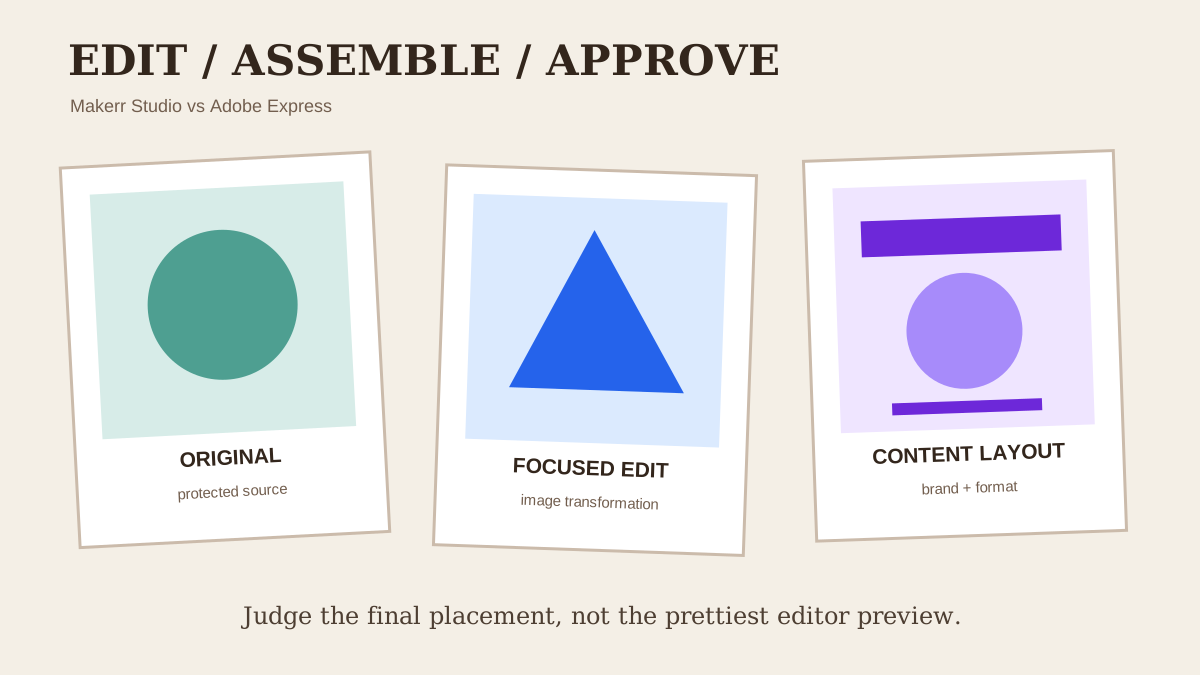
Choose Makerr Studio when the main job is transforming or refining an existing image through a focused AI workflow. Choose Adobe Express when the edited image needs to move into a broader system of templates, layouts, brand assets, video or social content. Test both with the same source, protect the original and approve the final export at its real placement size.
Quick answer: image task or content-production workspace
Makerr Studio is a focused AI image editor for working directly with an image. Adobe Express is a broader content-creation product that combines image editing with templates, layout, brand and multi-format production features.
Choose Makerr Studio when the deliverable is primarily an edited image. Choose Adobe Express when the image is one component of a larger social post, flyer, presentation, short video or branded campaign workflow.
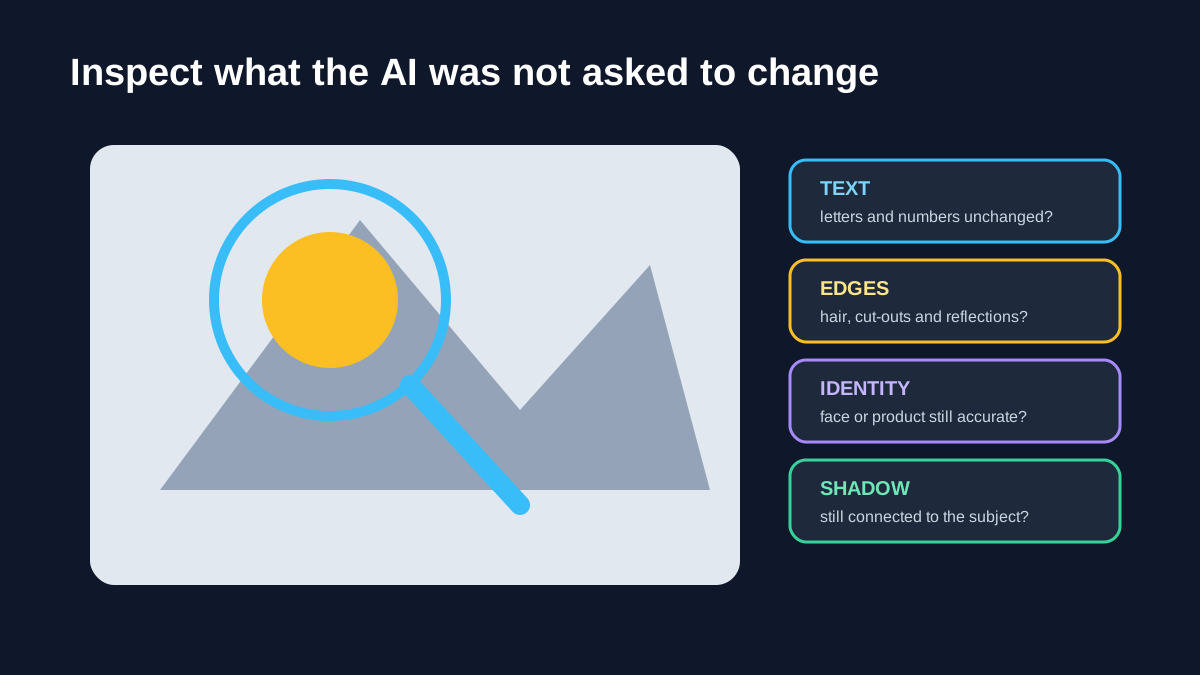
Neither product removes the need for review. AI editing can change lettering, faces, product shape, shadows, reflections, repeating patterns and small logos. Save the original and treat every result as a draft until the exported file is checked.
Define the job before comparing interfaces
Write a short acceptance brief: source file, requested change, protected details, output dimensions, background requirement and final placement. Replace vague directions such as “make it professional” with an observable task.
A product image brief might ask to remove a distracting background while preserving label text, package shape, cap colour and contact shadow. A portrait brief might protect identity, expression and clothing. A campaign brief might also specify room for a headline.
Use the same source and instruction in both products. Keep the untouched file beside the results. Our AI product-photo review guide explains how to separate presentation improvements from commercially meaningful changes.
Makerr Studio: fit for focused image transformation
Makerr Studio is the clearer candidate when a user wants to upload an image, describe a transformation, review the result and iterate. A narrow workflow can reduce the number of decisions between source and final asset.
That focus is useful for creators, marketers and small businesses preparing an image before it moves into a website, product page, social scheduler or design system. The result can be treated as a reusable asset rather than a layout tied to one campaign.
Focus does not guarantee accuracy. Inspect the requested area and protected areas. If the instruction concerns the background, confirm that the subject, text and edges did not change. Save accepted results separately from experiments.
Adobe Express: fit for broader content assembly
Adobe Express is positioned as a broader creative workspace with image editing, templates, brand resources, video and multiple publishing formats. That can be efficient when the same visual must appear inside several coordinated pieces.
A team may remove a background, place the subject in a social template, apply brand type and colours, resize the composition and prepare additional campaign variations without leaving the wider workspace.
Breadth adds plan and workflow questions. Confirm which AI editing, brand, collaboration, storage and export features are included in the current plan and region. Do not assume every advertised Adobe feature is available inside every Express account.
Review the edit at three levels
First compare at normal viewing size. Does the image communicate the intended subject and hierarchy? Second zoom into protected details: text, eyes, fingers, logos, product seams, jewellery, reflections and repeating patterns. Third place the export in its real destination.
A defect can be invisible in the editor and obvious against a coloured website background. A clean full-screen image may become unreadable inside a small social card. Review conditions should follow the delivery, not the most flattering preview.
Use annotations to identify the exact issue rather than asking for a general improvement. The upscaling quality checklist offers a two-view inspection method that also works for generated edits.
Compare revision control and repeatability
Run one change at a time. Save the first output, note the defect and revise only the instruction needed to correct it. This creates evidence about how each tool responds and prevents a team from losing a useful version.
For recurring work, test a second image from the same series. A workflow that succeeds once may be difficult to repeat across twenty product photos or weekly creator assets. Record setup, generation, review, correction and export time.
If several people work on the asset, establish naming and approval status. A file labelled final should mean someone checked the protected details and intended placement. The older Logomakerr guide to brand-file naming and handoff provides a practical convention you can adapt for image campaigns.
Brand production and layout context
Adobe Express can be attractive when brand elements and templates are central to the job. A finished edit can be placed into approved layouts and variations created for different channels. This reduces handoffs when the team already works inside that ecosystem.
Makerr Studio can remain upstream. Produce the approved image, then deliver it to the existing design or publishing system. That keeps image transformation separate from campaign composition and can make responsibilities clearer.
Neither model is universally better. Consolidation can save time; separation can reduce lock-in and protect a clean master asset. Decide who owns the image and who owns the layout.
Cost includes review and correction
Compare the current subscription or usage terms, but include labour. Measure the time to prepare the source, write the instruction, generate, inspect, revise, export and place the result.
A broader subscription can be economical if it replaces several tools the team already needs. It is expensive if most features remain unused. A focused editor can be efficient for individual transformations but may require a separate design system afterward.
Keep the comparison dated. AI allowances, plan boundaries and export features can change. Check the live product offer before purchase and avoid publishing a numeric price that may become stale.
Run a fair 30-minute test
Choose one source containing readable text, a fine edge, a face or product detail, a shadow and a patterned area. Write one requested change and five protected details. Produce a result in both products.
Review normal size, full resolution and the final placement. Record which protected details changed, how many attempts were required, the export options and total time. Then repeat one similar task to assess consistency.
Use the scorecard only after observing the result. A quick first render should not outweigh an accurate export that needs less correction.
Keep a review record for each exported image
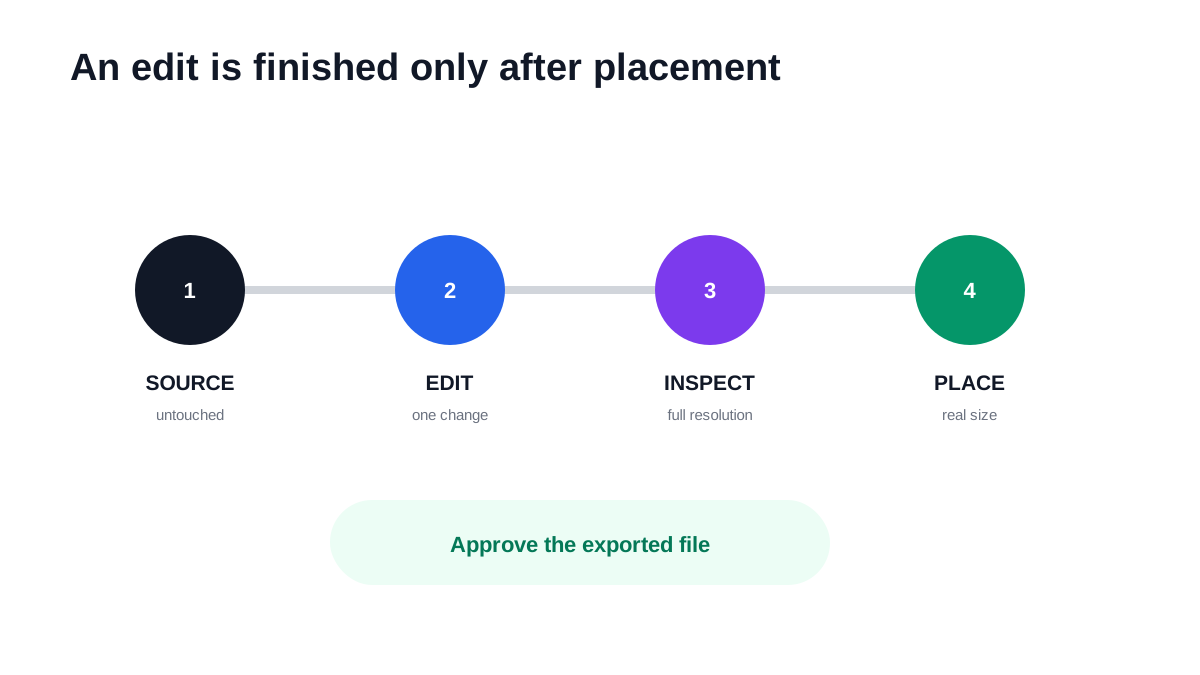
Record the source filename, intended placement, requested edit, protected details, chosen version and export dimensions in a short review note. This makes a comparison useful after the session ends. If another person repeats the task next week, they should know what was approved and why rather than selecting a different image from a download folder.
For a product photo, compare label text, edge shape, colour and quantity against the original at full size. Then open the exported image in the actual website or social layout. An edit can look convincing in a large preview while introducing a small error that becomes obvious beside the real product. For a portrait, review identity, expression, hands, clothing and the permission under which the image will be used.
Keep the untouched source, the approved edited master and the delivery export as separate files. Do not use a compressed social download as the source for the next edit. When the result fails a check, change one variable at a time and repeat the same review. This produces a clearer decision than generating many loosely related options without a consistent acceptance standard.
Final recommendation
Choose Makerr Studio for a focused source-to-edit-to-review workflow. Choose Adobe Express when the edited image must immediately become part of a wider template, brand and multi-format content system.
Use both only when the handoff is explicit: one owns the approved image and the other owns the layout. Preserve source files, document protected details and approve the real export. The best workflow is the one your team can repeat without losing accuracy.
People also ask
Frequently asked questions
Is Makerr Studio the same type of product as Adobe Express?
They overlap in AI-assisted image work, but Makerr Studio is a focused editing experience while Adobe Express is a broader content-creation and layout platform.
Which is better for a single image edit?
Makerr Studio is the more direct candidate when the task is mainly to transform or refine one source image. Test the real source and protected details before deciding.
Which is better for social templates and brand layouts?
Adobe Express may be the stronger fit when the team needs templates, brand assets and multi-format layout production around the edited image.
Can I use both?
Yes. Create and approve the image in one workflow, then place it in the other design system. Keep an untouched source and label the approved export clearly.